
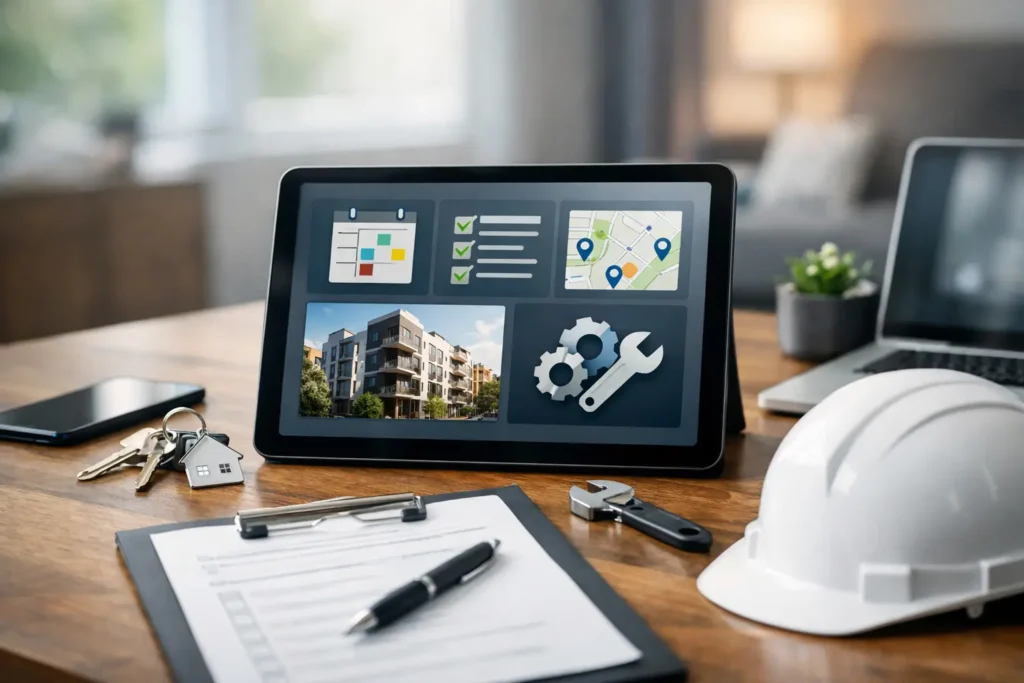
A leaking pipe at 2 a.m., an HVAC complaint before opening, and three vendors waiting on approvals by noon – this is exactly why choosing the best property maintenance software matters. When maintenance requests, inspections, vendor coordination, and preventive schedules live in different spreadsheets, response times slip and costs rise fast. The right platform gives property owners and facility teams a clearer way to manage work, control service quality, and keep buildings running.
For most portfolios, software is not just an admin tool. It affects tenant experience, technician productivity, compliance tracking, and how quickly small issues are resolved before they become expensive repairs. If you manage residential units, offices, retail spaces, warehouses, or mixed-use assets, the best option depends less on flashy features and more on how well the system fits your operation.
What the best property maintenance software should actually do
At a practical level, good maintenance software should reduce friction. A tenant, staff member, or site supervisor should be able to log an issue quickly. A manager should be able to assign it without chasing updates across calls and messages. A technician or contractor should know the scope, priority, location, and expected timeline before arriving on site.
That sounds basic, but many platforms overcomplicate the process. If your team spends more time updating the system than completing the work, the software is adding cost instead of removing it.
The best systems usually handle five core jobs well. They centralize work orders, track assets and service history, automate preventive maintenance, manage vendors or internal technicians, and produce reporting that helps with budgeting and performance review. Mobile access matters too, especially for teams moving between sites.
For larger operations, approval workflows and contract tracking become more important. For smaller portfolios, ease of use often matters more than deep customization. There is no single winner for every building type.
Best property maintenance software by use case
Different properties create different maintenance pressure. A multifamily operator may care most about tenant request handling and unit histories. A commercial facility manager may prioritize planned maintenance, contractor coordination, and compliance records. An industrial site may need stronger asset management and downtime tracking.
If you manage residential rentals, look for software with a simple resident portal, photo attachments, status updates, and recurring maintenance scheduling. Speed and communication usually matter more than highly technical asset reporting.
If you oversee office, retail, or mixed commercial space, reporting and vendor control become more critical. You may need to compare service response times, monitor recurring tasks, manage approvals, and keep documentation organized for multiple stakeholders.
If your environment includes HVAC systems, pumps, electrical rooms, generators, or specialized equipment, choose a platform with stronger preventive maintenance tools and asset-level histories. In these cases, the maintenance system should support reliability planning, not just ticket management.
Features worth paying for and features that can wait
A common mistake is buying software based on a long demo checklist instead of actual daily use. More features do not always mean better results. In many cases, teams adopt only a fraction of what they buy.
Work order management is non-negotiable. If ticket creation, assignment, status updates, and closeout notes are not clean and fast, the rest does not matter much. Preventive maintenance is another feature worth prioritizing because it directly affects cost control. Scheduled inspections and service intervals help reduce emergency repairs and extend asset life.
Asset tracking is highly valuable if you operate larger buildings or manage technical infrastructure across multiple sites. Knowing what was repaired, when it was serviced, who worked on it, and what it cost gives managers a stronger basis for repair versus replacement decisions.
On the other hand, advanced analytics, custom dashboards, and highly detailed workflow automation may be less urgent at the start. They can help later, but they should not distract from adoption. A simple system used consistently is usually more effective than a complex one used by only half the team.
Common software options on the market
Most buyers will come across a mix of CMMS platforms, property management tools with maintenance modules, and broader facilities platforms. Each category serves a different operating model.
A CMMS, or computerized maintenance management system, is often the strongest choice for technical teams that rely on preventive maintenance, asset tracking, and structured work orders. These systems are useful in commercial and industrial settings where uptime and service history matter.
Property management platforms with maintenance features can work well for landlords and multifamily operators. They are convenient because maintenance sits alongside leasing, rent collection, and tenant communication. The trade-off is that their maintenance capabilities may be lighter than a dedicated system.
Facilities management platforms sit somewhere in the middle or above both, depending on the product. They may include space management, compliance support, vendor workflows, and reporting across multiple service lines. These can be a good fit for organizations managing broad facility operations, but they often require more setup and stronger internal processes.
The right choice depends on whether your maintenance operation is primarily tenant-driven, asset-driven, or vendor-driven.
How to compare software without wasting time
The fastest way to narrow down options is to map your actual workflow before speaking with vendors. Start with your most common jobs. That might include plumbing complaints, HVAC breakdowns, electrical faults, deep cleaning requests, planned inspections, and contractor follow-up. Then ask one simple question: can this software handle these tasks with fewer calls, fewer manual updates, and better visibility?
Do not evaluate software in isolation from your service model. If you use a mix of in-house staff and outsourced specialists, the platform should support both. If approvals are centralized, your process should not rely on technicians waiting for email responses. If your properties operate around the clock, mobile updates and real-time notifications become more valuable.
It also helps to test reporting early. Many systems look good during scheduling demos but fall short when you need monthly service summaries, cost by asset, vendor performance, or overdue preventive tasks. Reporting should support decision-making, not just produce charts.
The hidden costs buyers miss
The software subscription is only one part of the cost. Implementation time, staff training, data cleanup, and change management can have a bigger impact than the license fee. A lower-cost platform that your team adopts quickly may outperform a more advanced system that takes months to configure.
Integration can also be a factor. If your accounting, procurement, or property management tools do not connect well, staff may end up duplicating work. That is not always a deal-breaker, but it should be considered early.
Another overlooked cost is poor vendor participation. If contractors cannot update jobs easily from the field, service records become incomplete and managers return to chasing progress manually. For organizations that rely on multiple trades, contractor usability matters almost as much as internal usability.
Software is only part of the maintenance equation
Even the best property maintenance software will not fix a fragmented service model by itself. If you still rely on separate vendors for plumbing, HVAC, electrical, cleaning, handyman work, and civil repairs, coordination issues can continue even with a strong system in place. Software improves visibility, but service delivery still depends on response capacity, workmanship, and accountability.
That is why many property teams get the best results when software supports an integrated maintenance strategy. One platform, one workflow, and one point of coordination usually lead to better follow-up and fewer dropped tasks. For businesses that want less administrative load, working with a single service partner can make the software more effective because updates, inspections, and recurring work follow the same operational standard. Companies such as Maxa Technical Services LLC are built around that integrated model, which aligns well with organizations trying to simplify day-to-day property upkeep.
How to make the right decision
If your current process is reactive, start with software that strengthens work orders and preventive maintenance. If your biggest issue is contractor sprawl, focus on vendor management and reporting. If tenants or occupants complain about slow updates, prioritize communication and mobile usability.
The best choice is not the one with the longest feature list. It is the one your team will actually use, your vendors can follow, and your managers can rely on when service volume increases. Good maintenance software should make your operation feel more controlled, more responsive, and easier to scale.
Choose a platform that matches how your properties really run, not how a sales demo says they should run. When software supports clear processes and dependable service execution, maintenance stops feeling like constant firefighting and starts looking like planned operations.